
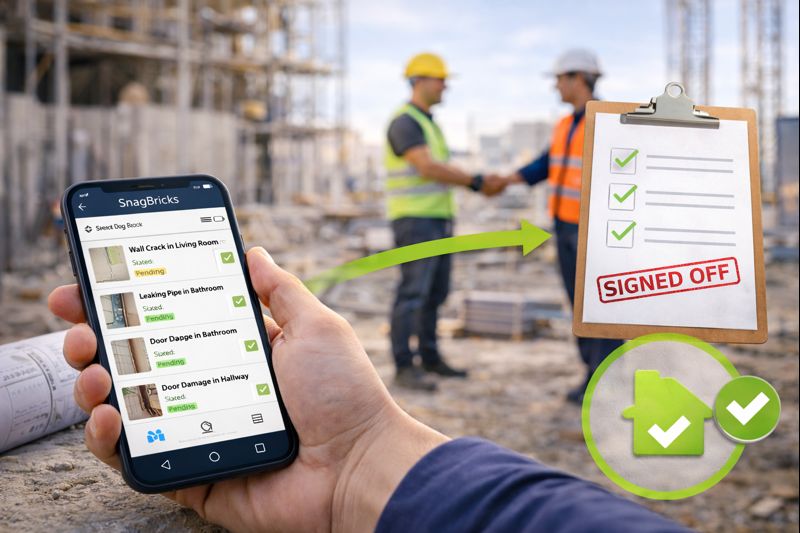
From Snagging to Sign-Off: Streamlining Project Closeout with Digital Tools
A project does not close when construction ends. It closes when defects are resolved, documentation is complete, and the client can sign off with confidence. The problem is that many teams reach closeout with scattered snag lists, unclear ownership, and “closed” items that were never verified.
The result is predictable: repeated walkthroughs, rework, disputes, and handover delays. The fix is also predictable: a structured closeout workflow supported by digital snagging and defect tracking tools.
Why closeout gets delayed
- Snags lack clarity: vague descriptions or missing “done” criteria cause incorrect fixes.
- Locations are inconsistent: teams waste time searching for the defect on site.
- No evidence: weak photos and no markups lead to disputes and rejected closures.
- Ownership gaps: if a snag isn’t assigned, it won’t be fixed.
- No verification: items get marked “done” based on claims, not inspection.
- Manual reporting: exporting and formatting reports slows the closeout cycle.
Closeout is not about having fewer snags. It is about having verified closures with a clear audit trail.
The snagging-to-sign-off workflow (step-by-step)
1) Capture defects correctly the first time
Closeout speed depends on capture quality. Each snag should include a consistent structure: Location → Issue title → Description → Evidence → Priority → Owner. If your team must call you to understand a snag, it is not ready for closeout.
- Use a location hierarchy: Block → Floor → Unit/Room → Zone
- Write measurable descriptions (what is wrong + expected fix)
- Attach evidence: wide photo (context) + close-up (detail)
- Add markups (arrow/circle) for small defects
2) Assign ownership and deadlines
Closeout is a coordination exercise. Digital tools prevent “everyone thought someone else was doing it” by making ownership explicit.
- Assign every snag to a contractor/trade or internal team
- Tag trade discipline (Civil / Electrical / Plumbing / HVAC / Finishes)
- Set due dates aligned to handover milestones
3) Prioritize what blocks handover
At closeout, not all items are equal. Critical items (safety, compliance, water leaks, commissioning blockers) must be addressed first.
- Use a simple model: Critical / High / Medium / Low
- Define “Critical” clearly (avoid subjective priority inflation)
- Review weekly: priorities, overdue items, high-risk areas
4) Track progress with real-time status
A closeout dashboard is more powerful than a weekly spreadsheet. Real-time status reduces last-minute surprises.
- Use statuses like: Open → In Progress → Fixed → Verified → Closed
- Keep comments linked to the snag item (not on WhatsApp/email)
- Prevent duplicates using unique snag IDs
5) Verify fixes before you close
Verification is the single most important control in closeout. A “Fixed” claim is not the same as a verified closure.
- Require photo evidence for typical defects (finishes, sealing, alignment)
- Schedule re-inspections by location + priority to reduce wasted visits
- Re-open items immediately if “fixed” is not acceptable
6) Export client-ready closeout reports
Final sign-off depends on documentation. Digital tools should export consistent reports without manual formatting.
- PDF reports: best for client submission and formal sign-off
- Excel reports: best for contractor action lists and filtering
- Include photos, markups, priority, status, ownership, and locations
Closeout checklist (what to confirm before sign-off)
- All critical/high items are verified (not just “fixed”)
- No duplicates, no conflicting versions, unique snag IDs present
- Locations are complete for every snag
- Photo evidence is available where required
- Client-ready PDF and contractor-ready Excel are exported from the same dataset
How SnagBricks streamlines closeout
SnagBricks supports the entire closeout workflow: structured snag capture, photos and markups, ownership, priorities, status tracking, verification, and exportable reports. That means fewer disputes and faster approvals during final walkthroughs.
- Structured defect capture with multi-level locations
- Photos + markups for clear evidence
- Ownership, priority, due dates, and status tracking
- Verification workflow before closure
- One-tap exports for PDF and Excel closeout reporting
Download SnagBricks for Faster Project Closeout
Capture snags with photos/markups, assign ownership, verify fixes, and export closeout reports—so you can reach sign-off sooner.


